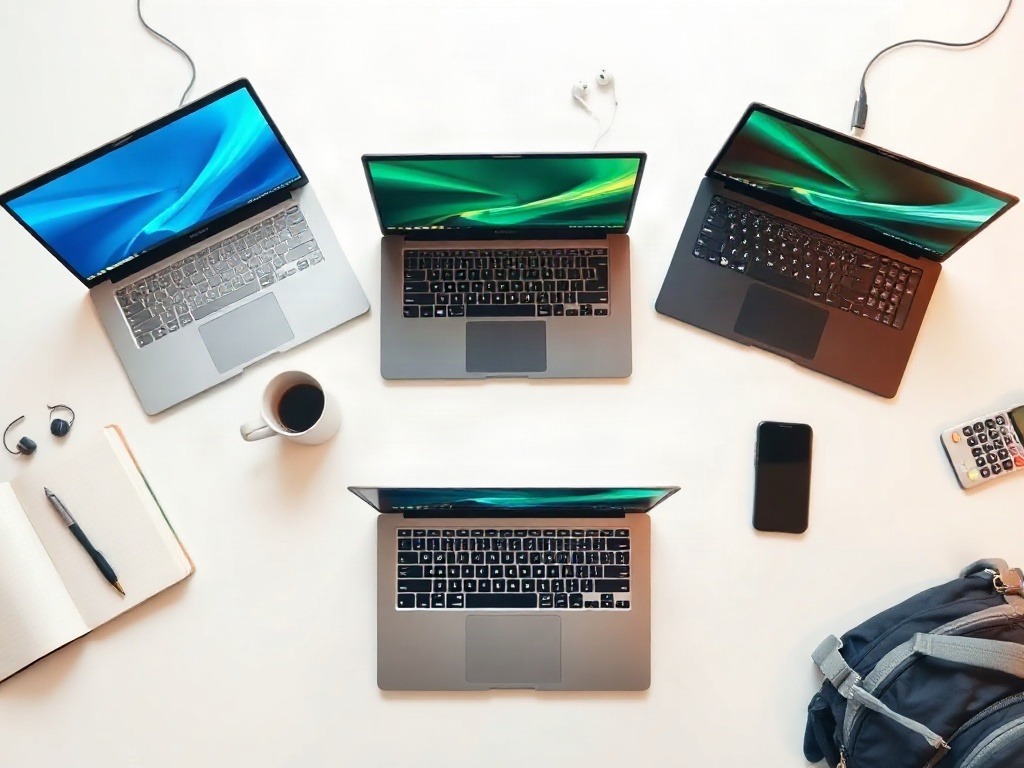
I made a terrible mistake in my first year of college. I bought a sleek, expensive laptop because everyone said I needed the "best." It was beautiful. It was also painfully slow for coding, overheated during online classes, and died after two years. I learned the hard way that expensive doesn't mean smart.
This post exists because I don't want you repeating that mistake. I'm going to tell you exactly what I wish someone had told me: which laptops actually survive student life, which features are actually worth paying for (and which are marketing nonsense), and how to avoid dropping money on something that'll collect dust in six months.
Let me be honest upfront — there's no single "best" laptop for every student. But there are definitely laptops that'll save you money, heartbreak, and the anxiety of a dying battery during exams.
The Budget Reality Check
First, let's talk about what "under a budget" actually means in India, because the context matters. If you're looking at ₹30,000–₹45,000: You're in the sweet spot for basic student work. Expect solid performance for document editing, coding, YouTube, and online classes. Battery life should be 6–8 hours real-world usage (not the marketing claim). You won't be gaming competitively, but that's fine. ₹45,000–₹60,000: This is where things get interesting. You get faster processors, better build quality, and longevity. If you can stretch here, do it. The extra money often extends your laptop's useful life by 2–3 years, which means lower cost per year of use. Above ₹60,000: At this point, you're paying for brand value and specific features (like dedicated graphics or high refresh rate screens). For pure student work? You don't need it. I used to think you did. I was wrong. Here's the uncomfortable truth nobody mentions: a ₹35,000 laptop that lasts four years is better value than a ₹70,000 one that becomes sluggish after three.The Processor vs. RAM Trap
Students obsess over processor generation. They'll tell you, "I need the latest Intel i7." Stop. That's exactly how marketing works. For 95% of student tasks — coding, writing, video calls, web browsing — a mid-range processor (like Intel i5 11th gen or AMD Ryzen 5 5500U) is more than enough. What actually matters more is RAM. You want at least 8GB, and honestly, 16GB is worth the extra ₹5,000–₹8,000 if your budget allows. I used to struggle with constant lag on a fancy laptop with 4GB RAM. Switched to a modest spec'd machine with 16GB. Night and day difference. RAM is where your money actually makes an impact. SSD storage? Non-negotiable. At minimum 256GB, but 512GB is better if you work with large files (video editing, design projects). Never, and I mean never, buy a laptop with only a hard drive in 2024.The Laptops That Actually Work (And Why)
The Practical Pick: Dell Inspiron 15 (Budget Series)
Price range: ₹35,000–₹42,000 Why it's here: Dell's budget Inspiron line isn't flashy. The keyboard feels okay, not amazing. The trackpad is fine, not premium. But it's stupidly reliable. I've seen a dozen students use these across different years, and they still boot up fine after college. You're getting an Intel i5 (current gen), 8GB RAM, and 256GB SSD. It's not exciting. It's boring. Boring is exactly what you want in a student laptop. Real downside? Battery life is 5–6 hours if you're honest about it. It's heavier than ultrabooks (around 1.9kg). If you're moving between classes constantly, you'll feel it. But durability-wise, this thing can take a hit.The Sweet Spot: ASUS Vivobook 15 or HP Pavilion 15
Price range: ₹45,000–₹55,000 Both of these hit the same note differently. ASUS tends to be slightly more snappy (I've found their build quality more consistent in this range). HP gives you better displays on average. The Vivobook comes with Ryzen 5 5500U, which is genuinely fast for the price. Battery life stretches to 7–8 hours if you're not hammering it. The design is modern without being pretentious. You won't feel self-conscious opening it in a library. HP Pavilion 15 is a safer choice if you want a familiar brand service network. Performance is nearly identical. Pick whichever has better availability in your region. I could be wrong here, but the Vivobook feels like it punches slightly above its weight. Someone will probably tell me I'm biased.The Survival Pick: Lenovo IdeaPad Slim 3 or Acer Aspire 3
Price range: ₹30,000–₹38,000 These are entry-level. I'm not saying they're luxury. But for basic coding, note-taking, and online attendance, they're perfectly functional. Acer Aspire 3 is tougher physically. The display isn't great (720p on some models, which is rough), but the chassis feels solid. Lenovo's build is lighter but sometimes feels a bit... plasticky. Neither will win design awards. Here's the real question: are you using your laptop for Instagram and Netflix primarily, or actual work? If it's actual work, even these handle it. If you're expecting premium feel, manage your expectations. Acer tends to have better cooling, which matters if you're doing CPU-intensive work like compiling code.
Pro Tip: Check if the laptop has an SSD upgrade slot before buying. Some budget models come with 256GB SSD but let you add a second one later. This future-proofs your purchase for only ₹2,000–₹3,000 more, instead of being stuck with storage regret in year two.
What You're Actually Paying For (And What's Noise)
Features That Matter
**Battery life (real, not claimed)**: Test it. Open a YouTube video, dim to 40% brightness, turn off high-performance mode. See how long it lasts. That's your actual battery life. Aim for at least 5 hours. **Keyboard and trackpad**: You'll use these for thousands of hours. Spend 10 minutes typing in a store if you can. If it feels mushy, walk away. No regrets. **Cooling**: Open YouTube, run a video. Feel the bottom of the laptop after 30 minutes. If it's uncomfortably hot, it'll throttle performance later. Cheap cooling = performance drops during exams. Not ideal. **Display**: 1080p minimum. Anything below is honestly painful in 2024. Brightness of at least 250 nits (so you can work outdoors). Color accuracy? Don't care for student work.Features That Don't Matter (Really)
Thin and light design under 1.2kg — sounds nice, but costs ₹15,000+ extra. Unless you're walking between classes all day, skip it. A 1.8kg laptop isn't heavy. Premium materials (aluminum chassis, magnesium frame) — sure, it feels nice. It also costs more and doesn't improve performance. After four years, you won't care what it feels like. Backlit keyboard — useful in dark libraries, absolutely unnecessary for ₹3,000 extra. Dedicated graphics card — unless you're gaming or doing 3D rendering, it drains battery for no reason.| Laptop Model | Price Range | Processor | RAM | Storage | Battery (Real) |
|---|---|---|---|---|---|
| Dell Inspiron 15 | ₹35–42K | i5 (11th/12th Gen) | 8GB | 256GB SSD | 5–6 hrs |
| ASUS Vivobook 15 | ₹45–55K | Ryzen 5 5500U | 8–16GB | 512GB SSD | 7–8 hrs |
| HP Pavilion 15 | ₹48–58K | Ryzen 5/i5 | 8–16GB | 512GB SSD | 6–7 hrs |
| Lenovo IdeaPad Slim 3 | ₹32–40K | Ryzen 3/i5 | 8GB | 256GB SSD | 5–6 hrs |
| Acer Aspire 3 | ₹30–38K | Ryzen 3/i5 | 8GB | 256GB SSD | 5–6 hrs |
The Things Nobody Tells You
**Warranty is underrated.** Most budget laptops come with 1-year warranty. Check if there's an option to extend it to 2–3 years. Seriously. Student life is chaotic. Accidental damage happens. **Thermal paste dries out.** After 18–24 months, your laptop might start running hotter and slower. It's not a defect; it's normal. Budget for a cleaning and reapplication (₹500–₹1,500) around year two. **Battery replacement costs ₹3,000–₹5,000.** Lithium batteries degrade. By year 3–4, you might get only 2–3 hours on battery. Plan for this. **Windows updates are annoying.** Make sure your laptop has at least 256GB SSD. Windows 11 updates can leave you with only 10–15GB free space on a 256GB drive, which causes slowdowns. If budget allows, go for 512GB. **Service centers matter more than brand.** An ASUS laptop near a good service center beats a premium brand with no support nearby. Check this before buying. I used to ignore warranty details. Now I see students stuck with broken laptops because warranty lapsed. It's not worth it.My Take
After reviewing dozens of budget laptops and watching how students actually use them, here's what surprised me: the gap between a ₹35,000 and ₹50,000 laptop is often just design and marketing, not actual performance. A well-configured budget machine feels faster than a poorly configured expensive one. What disappointed me was how many students buy based on specs they don't understand. They'll drop ₹60,000 on an i7 for document editing. Then wonder why it still feels slow. (Spoiler: probably because they bought it with 4GB RAM and a dying hard drive.) This is genuinely for students doing engineering, commerce, humanities, or design at a reasonable level. If you're doing professional video editing or machine learning training regularly, these recommendations don't apply. You need a different machine. My honest hierarchy: Start with ASUS Vivobook or HP Pavilion if you can afford ₹50K. If that's a stretch, Dell Inspiron or Lenovo IdeaPad are fine. Below ₹35K, Acer Aspire and budget Lenovo laptops work. Don't overthink it beyond that. Avoid MacBooks unless you're specifically a design student or have budget to spare. For pure student work, they're overkill and unnecessarily expensive in India.Verdict
Buy the **ASUS Vivobook 15** or **HP Pavilion 15** if you can stretch to ₹50K. Honestly good performance, reliable, and you'll actually like using it. If your budget is hard-capped at ₹40K, the **Dell Inspiron 15** is the safest bet. Not fancy. Just dependable. Below ₹35K? **Acer Aspire 3** edges out competitors because the build is tougher, which matters when you're carrying it around college. Stop waiting for the perfect laptop. Pick one from this list, know what you're compromising on, and move on. Your laptop matters less than what you do with it.Published by Dattatray Dagale • 20 October 2026










0 Comments