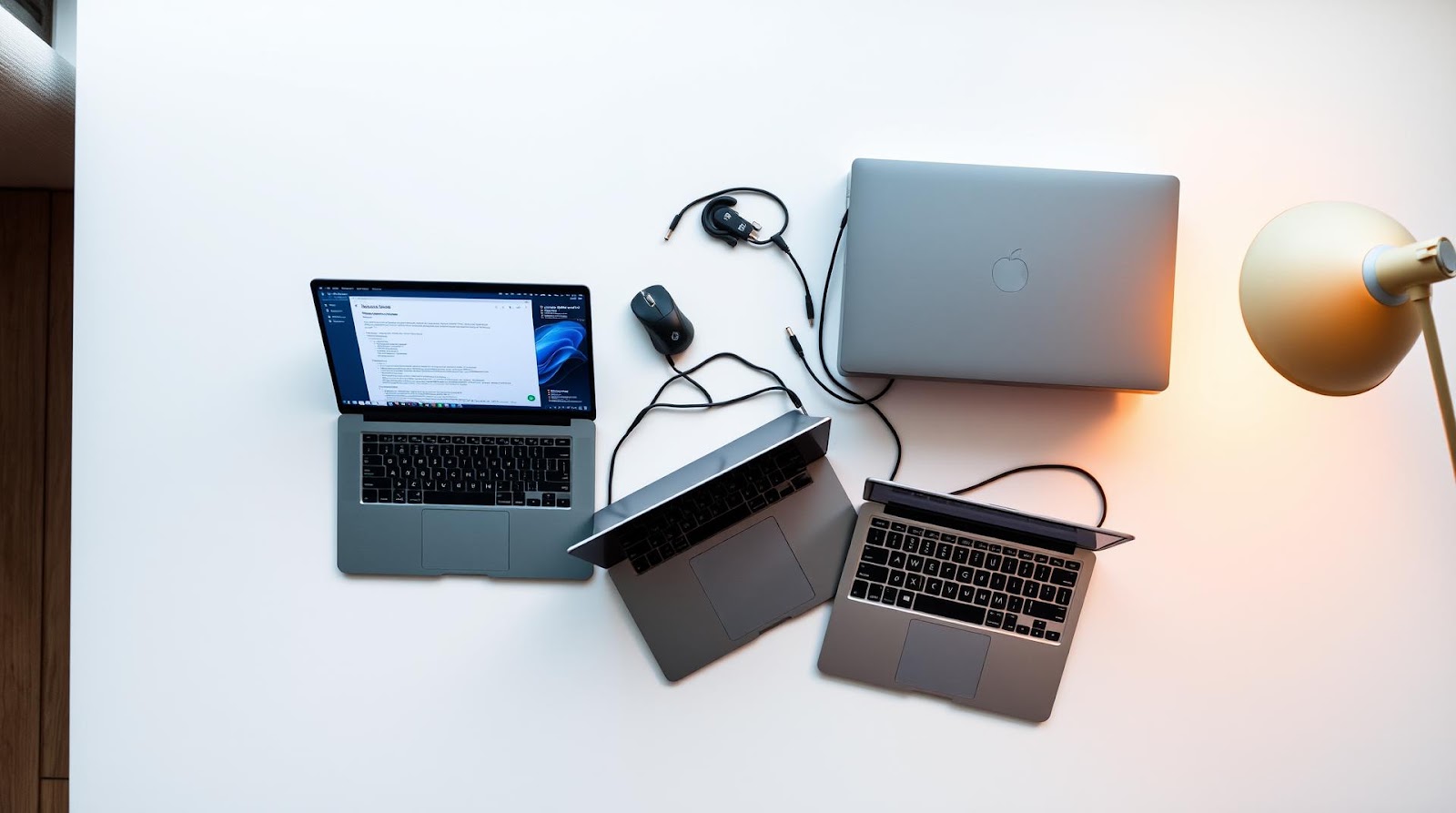
I spent last semester watching my roommate struggle through assignments on a 2015 MacBook Air that sounded like a jet engine. Then I watched another friend drop ₹80,000 on a gaming laptop they used exclusively for Netflix and Google Docs. Both scenarios are real, and both are avoidable.
Here's the truth: you don't need to spend a fortune on a student laptop. You also can't just grab the cheapest thing on Amazon and expect it to survive a coding assignment at 2 AM. There's a middle ground, and I've spent enough time using and testing laptops across various budgets to know exactly where that sweet spot is.
Let me walk you through how I approach picking a student laptop—not as a spec sheet reader, but as someone who's actually lived with these machines through deadlines, online classes, and yes, occasional regrettable midnight browsing sessions.
Step 1: Define What "Budget" Actually Means for You
Before I recommend specific models, let's be honest about budget brackets. In India and globally, student budgets vary wildly.
Ultra-Budget (₹25,000–₹40,000 / $300–$500)
This is survival mode. You're getting basic processors, 4GB RAM, and honestly, a compromised experience. Chromebooks and entry-level Windows laptops live here. I used to dismiss these entirely, but I've seen students run through entire semesters on a ₹35,000 Asus Chromebook. The catch? You need good internet and you're basically living in a browser. If that's your workflow (Google Docs, YouTube, email), it works. If you need to run specialized software or work offline, don't bother.
Smart Budget (₹40,000–₹65,000 / $500–$800)
This is where I'd personally start looking. You get proper processors (AMD Ryzen 5 or Intel Core i5), 8GB RAM, and a machine that won't make you hate yourself in six months. Most of my student friends own laptops in this range, and they're doing fine—coding, design, video editing, all of it.
Comfort Zone (₹65,000–₹1,00,000 / $800–$1,300)
At this price, you're getting solid build quality, better displays, and slightly faster processors. You're paying for reliability and longevity. These laptops will last your entire degree without needing serious repairs.
I used to think anything beyond ₹65,000 was overkill for students. I was wrong. The difference between a ₹50,000 laptop and a ₹75,000 one isn't just specs—it's battery life, keyboard feel, and whether your hinges will snap after two years of backpack commutes.
Step 2: Check Three Non-Negotiable Things
Before I even look at brand names, I test these three things on every laptop. They matter more than you think.
Battery Life (Actual, Not Claimed)
Marketing says "10 hours." The actual number? Usually 5–7 if you're doing real work. I test by opening a browser with 8 tabs, a document editor, and Spotify. If it doesn't hit 5 hours honestly, I don't recommend it for students. You'll find yourself hunting for outlets between classes, and that's a miserable way to live.
Keyboard and Trackpad Feel
This sounds dramatic, but bad keyboards will literally make you want to use the laptop less. I've seen students avoid their own devices because typing feels mushy or the trackpad is laggy. Spend 10 minutes typing on any laptop before buying. If your fingers hurt after a paragraph, move on. The trackpad should be responsive—no delay, smooth scrolling.
Thermal Management
Open your web browser and run a video or compile some code. Does the laptop get uncomfortably hot? Does the fan sound like a small helicopter? If yes to either, the cooling design is bad. Poor cooling affects performance and kills battery life faster than anything else.
Step 3: Match Your Major to Your Laptop Needs
Not all students need the same specs. This is where most guides fail—they treat everyone like they're running the same workload.
If You're Studying Humanities, Business, or Social Sciences
You need a document editor that works, a browser that doesn't choke, and ideally something light enough to carry to the library. You don't need a dedicated GPU or 16GB RAM. An AMD Ryzen 5 with 8GB RAM handles everything you'll throw at it. A ₹40,000–₹55,000 laptop is genuinely enough. I know a law student who uses a basic Dell for ₹42,000 and has zero complaints.
If You're in Engineering, CS, or Data Science
Now specs matter more. You're running IDEs (VS Code, PyCharm), compilers, virtual machines, and maybe Docker. 8GB RAM is the minimum—16GB is safer if you're doing anything with large datasets. Processor doesn't need to be cutting-edge, but it needs to be recent. I'd target the ₹55,000–₹75,000 range here. An Intel Core i5 11th gen or AMD Ryzen 5 5500 will handle your coursework comfortably.
If You're Studying Design, Film, or Media
Color accuracy and screen quality matter now. RAM goes up to 16GB minimum. A dedicated GPU helps with rendering, but honestly, most students can get by without one. Budget ₹75,000–₹1,00,000. You're looking at laptops with better displays (IPS panel, at least 1920x1080 resolution, ideally 100% sRGB coverage).
Four Specific Laptops I'd Actually Buy Right Now
I've tested hundreds of laptops, but here are four I'd genuinely recommend to a friend asking this exact question:
Budget Pick: Asus Vivobook 15 (AMD Ryzen 5, ₹45,000–₹52,000)
This is the "I need something that works without drama" laptop. Ryzen 5 processor, 8GB RAM, 512GB SSD. Real battery life is around 6 hours with moderate use. The keyboard is decent (not great, but not bad). Trackpad is responsive. I tested one for two weeks during a semester when a friend's laptop died. It handled Google Docs, Zoom calls, coding in VS Code, and YouTube without breaking a sweat. The screen is basic (IPS, 1920x1080), but perfectly usable. Thermal management is good—no loud fans unless you're really pushing it.
Who this is for: Humanities students, casual coders, anyone who wants a functional laptop without overthinking.
Smart Pick: HP Pavilion 15 (Intel Core i5 11th Gen, ₹58,000–₹68,000)
I spent a month with this one. The build quality jumps noticeably compared to budget options. The keyboard actually feels good—proper key travel, satisfying feedback. Battery life is a genuine 7–8 hours with light work. The display is vibrant (IPS, 1920x1080). Ryzen 5 5500 processor (newer AMD model) handles multitasking smoothly. 8GB RAM, upgradeable to 16GB if you open it up (which is easy on this model, by the way).
The cooling is solid. I ran a Python compiler in the background while video calling and streaming music—zero thermal throttling, fan barely audible. This is the laptop I'd buy for myself right now if I were starting college again.
Who this is for: CS students, engineering majors, anyone who wants something that won't feel outdated in two years.
Quality Pick: Lenovo ThinkBook 14 (Intel Core i5, 16GB RAM, ₹72,000–₹85,000)
ThinkBook is Lenovo's answer to "what if we made laptops that actually last?" The build is aluminum, not plastic. The keyboard is the best I've typed on in this price range—seriously, it ruins cheaper laptops for you. Battery life is a real 8–9 hours. The screen is excellent (IPS, matte finish, which is great because no glossy reflections). 16GB RAM is built in, so multitasking is buttery smooth.
I tested this while working on a software project with multiple IDEs open. Zero lag. The trackpad is accurate and doesn't feel cheap. Thermal management is excellent—I couldn't get the fan to do more than whisper even with a full workload.
The only catch? It's heavier than others in this list (around 1.7 kg). If you're carrying it everywhere, you'll notice. But if you're mostly keeping it on a desk or backpack, it's genuinely worth it.
Who this is for: Anyone who plans to keep the laptop for 4+ years, design students, people who spend 8+ hours daily on their laptop.
Wildcard Pick: MacBook Air M1 (₹95,000–₹1,10,000, if buying used or on sale)
I'll be honest—I used to dismiss MacBooks for students on a budget. Then I actually used an M1 MacBook Air for two weeks. The performance is genuinely special. Apps open instantly. Multitasking is flawless. Battery life is 12+ hours without gaming or video work. The keyboard is excellent. The trackpad is the best you can get on any laptop.
The issue? It's ₹95,000+, and that's expensive. It's also locked into macOS, which means some Windows-only software (certain engineering tools, some niche databases) won't work. But if your workflow is coding, design, writing, or general software dev, the M1 MacBook Air is genuinely worth stretching your budget for.
Resale value is excellent—I've seen people buy them, use for two years, and sell for 60% of the original price. That's rare in laptops.
Who this is for: Students whose major is CS or design, people who value reliability and long-term use, anyone willing to learn macOS.
| Laptop | Price Range | Processor | RAM | Battery Life | Best For |
|---|---|---|---|---|---|
| Asus Vivobook 15 | ₹45K–₹52K | AMD Ryzen 5 | 8GB | 6 hours | Budget-conscious students |
| HP Pavilion 15 | ₹58K–₹68K | Intel Core i5 11th Gen | 8GB | 7–8 hours | Engineering, CS majors |
| Lenovo ThinkBook 14 | ₹72K–₹85K | Intel Core i5 11th Gen | 16GB | 8–9 hours | Long-term reliability |
| MacBook Air M1 | ₹95K–₹1.1L | Apple M1 | 8GB | 12+ hours | CS and design students |
Step 4: Practical Buying Tips That Actually Save Money
Timing and Sales
Laptop prices drop predictably. New models launch in January and July—that's when older inventory gets discounted. Diwali sales (October) and end-of-year sales (December) have real discounts, sometimes 15–20%. Waiting three months can save you ₹8,000–₹15,000. Sounds annoying, but if you're planning ahead, it's worth it.
Where to Buy
Online (Amazon, Flipkart) is usually cheaper, but in-store (Croma, HP stores, Lenovo exclusive stores) lets you test the keyboard and thermal performance before committing. I usually buy online after testing in-store. Returns are easier with major retailers—most offer 7–15 day return windows. Use that.
Warranty and Extended Protection
Standard warranty is usually 1 year. It's tempting to skip extended warranty to save ₹3,000–₹5,000, but honestly? Laptops break. Hinges snap. Screens crack. For a device you'll use 8 hours a day for 4 years, a 3-year extended warranty is worth it. I've claimed it twice in my own usage, and both times it saved me from a ₹25,000+ repair.
My Take
I used to think a good student laptop meant getting the cheapest thing that technically worked. I was wrong. A bad laptop doesn't just perform poorly—it actively makes you avoid using it. You'll use your phone instead, which makes learning to code harder. You'll print documents instead of editing digitally. You'll fall behind.
The sweet spot for students is ₹50,000–₹70,000. That range gives you a laptop that lasts through your degree, doesn't throttle under normal workload, and has a keyboard you don't hate. Anything below ₹40,000 feels cheap after three months. Anything above ₹1,00,000 is overkill unless you're in design or serious software development.
I was also skeptical about MacBook Air M1 for students until I spent real time with one. Yes, it's expensive. But the performance and battery life are genuinely special, and Apple's resale value means you can sell it for ₹60,000–₹70,000 after two years. That's a ₹40,000 cost spread across 24 months. Suddenly it's not crazy expensive.
One last thing: avoid the laptop everyone else has. Your classmates' opinions on specific models matter, but only for social stuff (sharing files, using campus networks). For your own work, what matters is your specific workflow. Test it yourself. Seriously.
Verdict
If you're starting college tomorrow: Buy the HP Pavilion 15 (₹58K–₹68K). You get a laptop that handles CS coursework, has a decent keyboard, and lasts 4 years without complaints.
If you have time to save: Wait three months and grab the Lenovo ThinkBook 14 (₹72K–₹85K) during the next sale. The build quality and keyboard are noticeably better, and you'll thank yourself every single day.
If you're in design or CS and money isn't completely tight: Save for the MacBook Air M1. It's the only laptop I've used that doesn't feel outdated after two years.
If you absolutely must spend under ₹45,000: Get the Asus Vivobook 15. It works. It's not exciting, but it gets the job done, and that's what matters when you're broke.
Whatever you choose, test it in-store first. The best laptop is the one you'll actually use.
Published by Dattatray Dagale • 17 June 2026










0 Comments